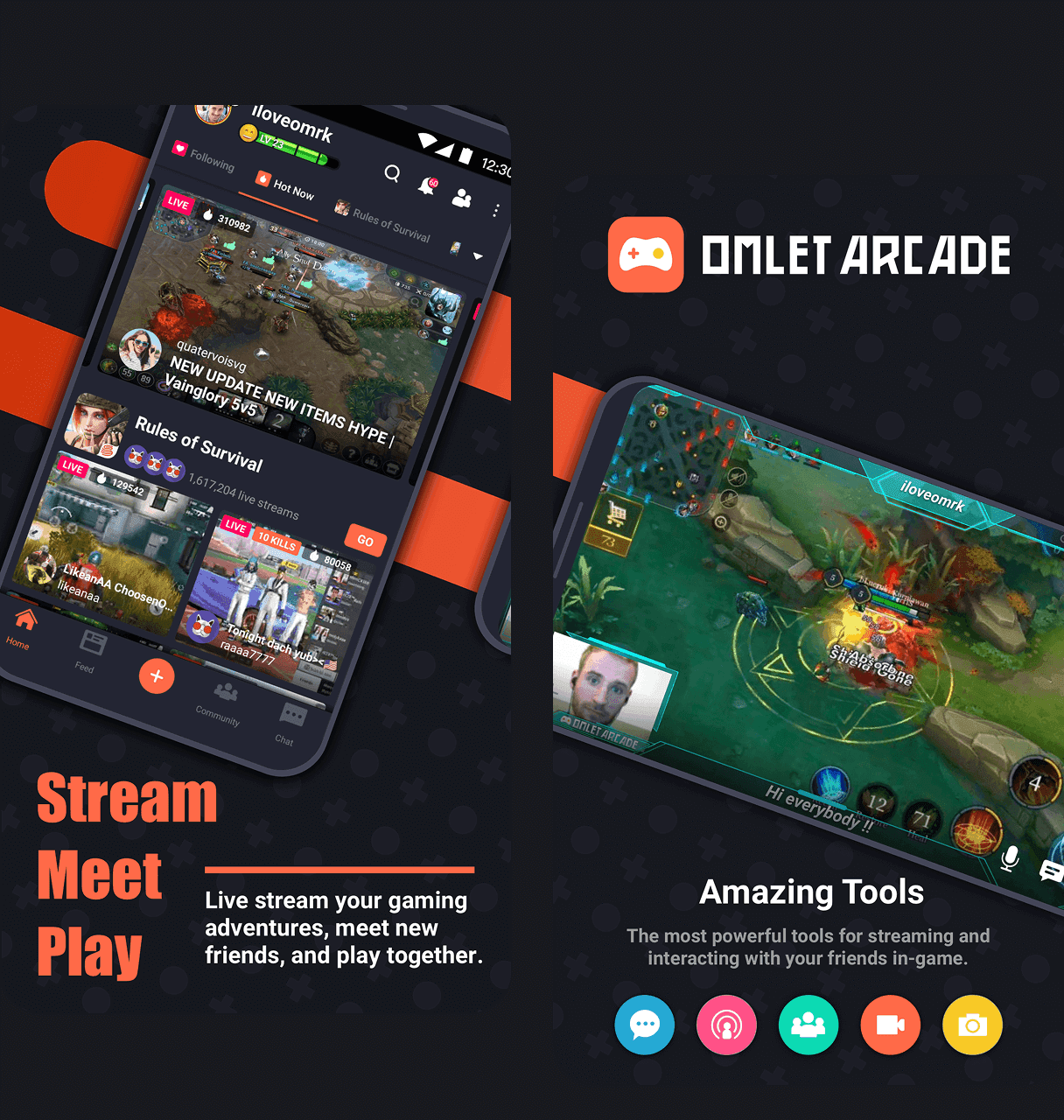
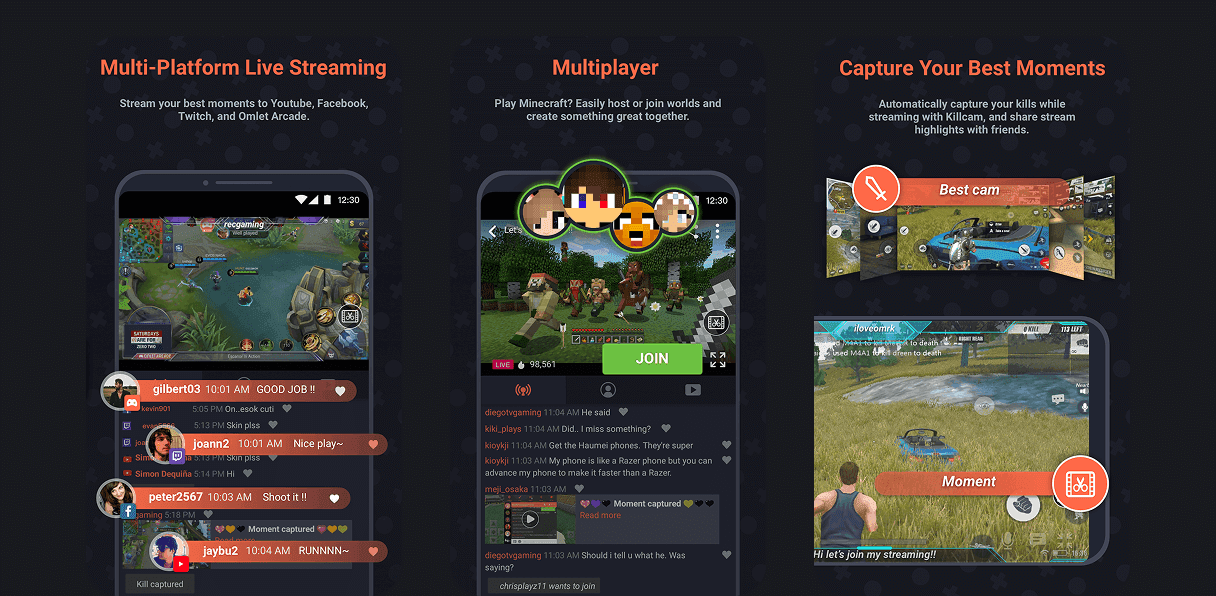
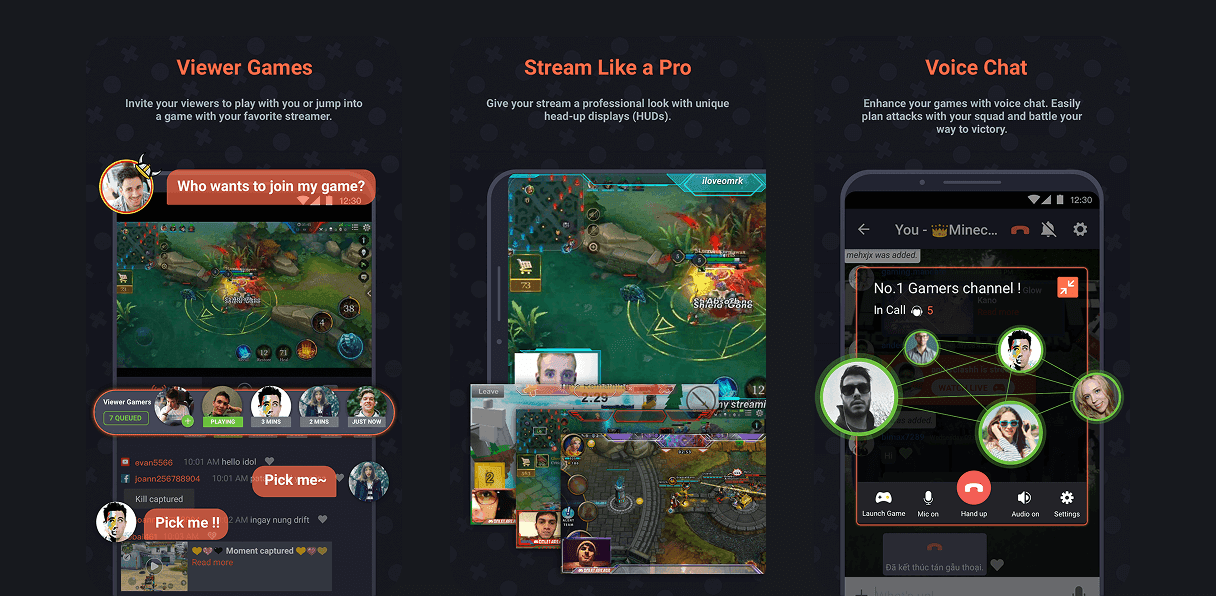
Increased +23% app downloads in 2 weeks after redesigning the App Store creative assets (screenshots and copy) .
Launched a desktop live-streaming tool for pro gamers in 2 weeks, fully customized for mobile game streamers’ needs.
Simplified live setup and overlay flow to reduce friction and boost new user activation.
Researched streamer workflows and adapted key OBS features into a mobile-friendly desktop tool.
Designed a dashboard for real-time stream performance, helping users quickly track quality, engagement, and donations.
Partnered with PMs and developers to iterate quickly and ensure UI worked across platforms and use cases.

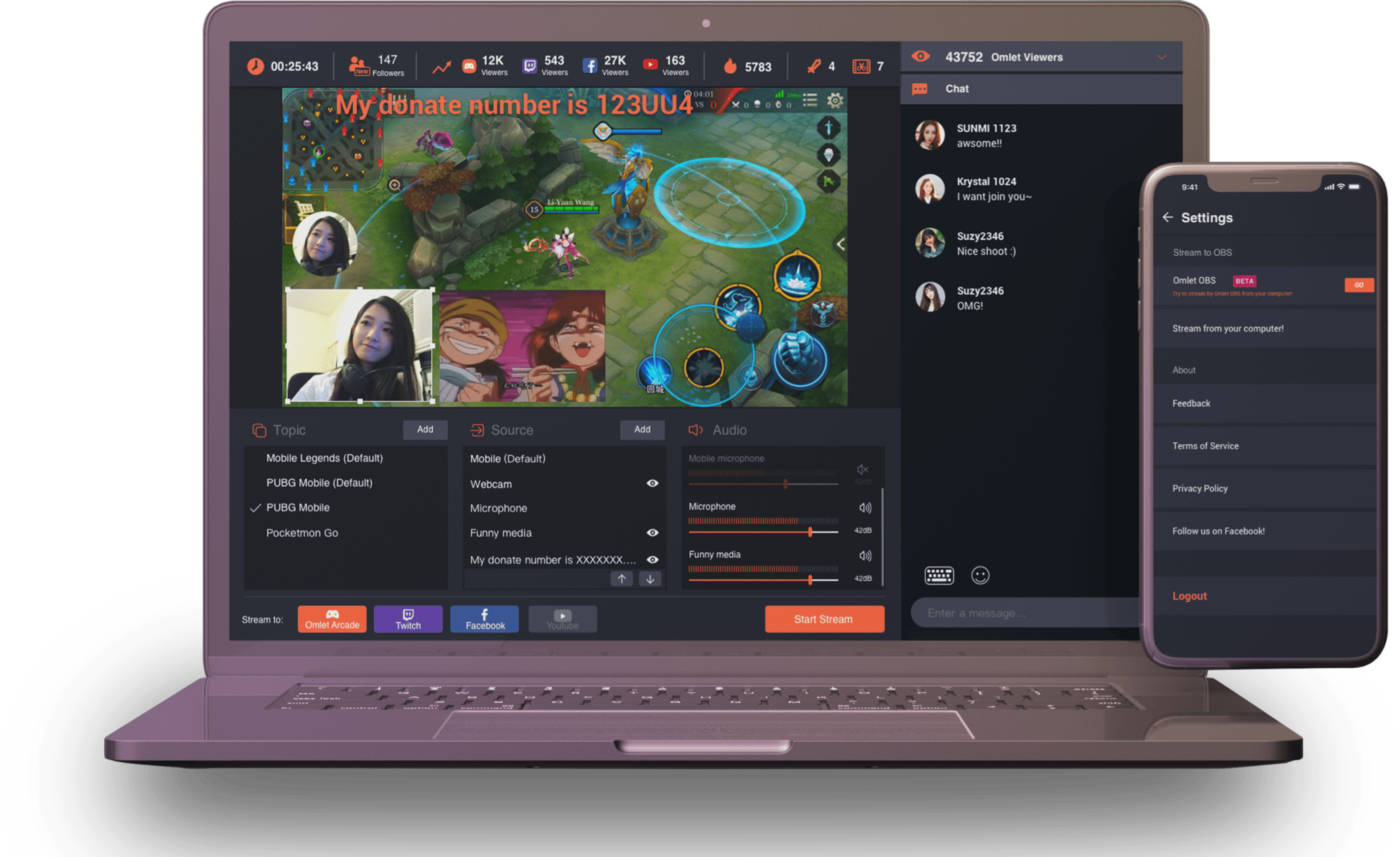
At Omlet Arcade, a global mobile game streaming platform with over 70M users, I designed a desktop livestreaming tool for pro mobile gamers. The tool brought OBS-style flexibility to mobile streaming, allowing users to customize scenes, manage audio, and add overlays. I also created a real-time performance dashboard and redesigned the App Store page, which resulted in a 23% increase in downloads.
At Omlet Arcade, I worked in an agile product team where tasks were assigned based on job stories and broken into modular features. As a product designer, I focused on improving and maintaining livestreaming experiences, designing a desktop OBS-style tool for pro mobile streamers, and creating in-app gamified visuals and marketing assets to boost user engagement.
UX/UI Designer
Jin
To attract and retain professional mobile streamers, key to growing the community through their fanbase, Omlet needed better tools to support consistent, high-quality livestreaming. Since traditional OBS tools were built for PC gaming, we designed a dedicated desktop tool with OBS-style controls tailored to mobile gameplay and pro streaming needs.
To design Omlet’s livestreaming tool for mobile gamers, I conducted a competitive analysis of existing platforms like OBS.Live, Streamlabs OBS, XSplit Broadcaster, and YouTube Live Studio. I also interviewed 7 full-time streamers to understand their workflows and pain points. Based on their feedback, I designed a lightweight, easy-to-set-up tool that focuses on the essential features pro streamers use, helping them go live faster with fewer technical barriers.
Easy Mobile-to-Desktop Pairing
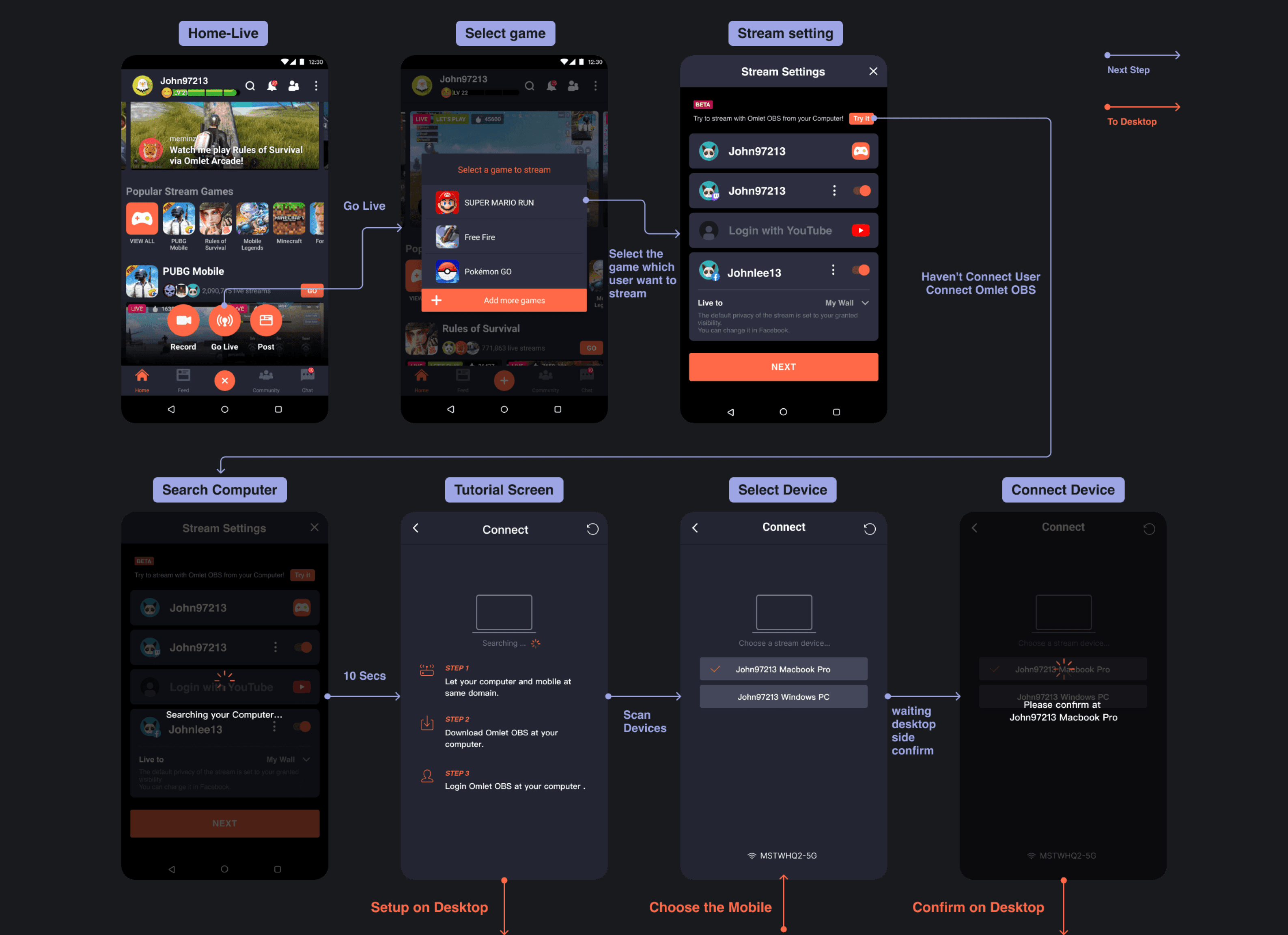
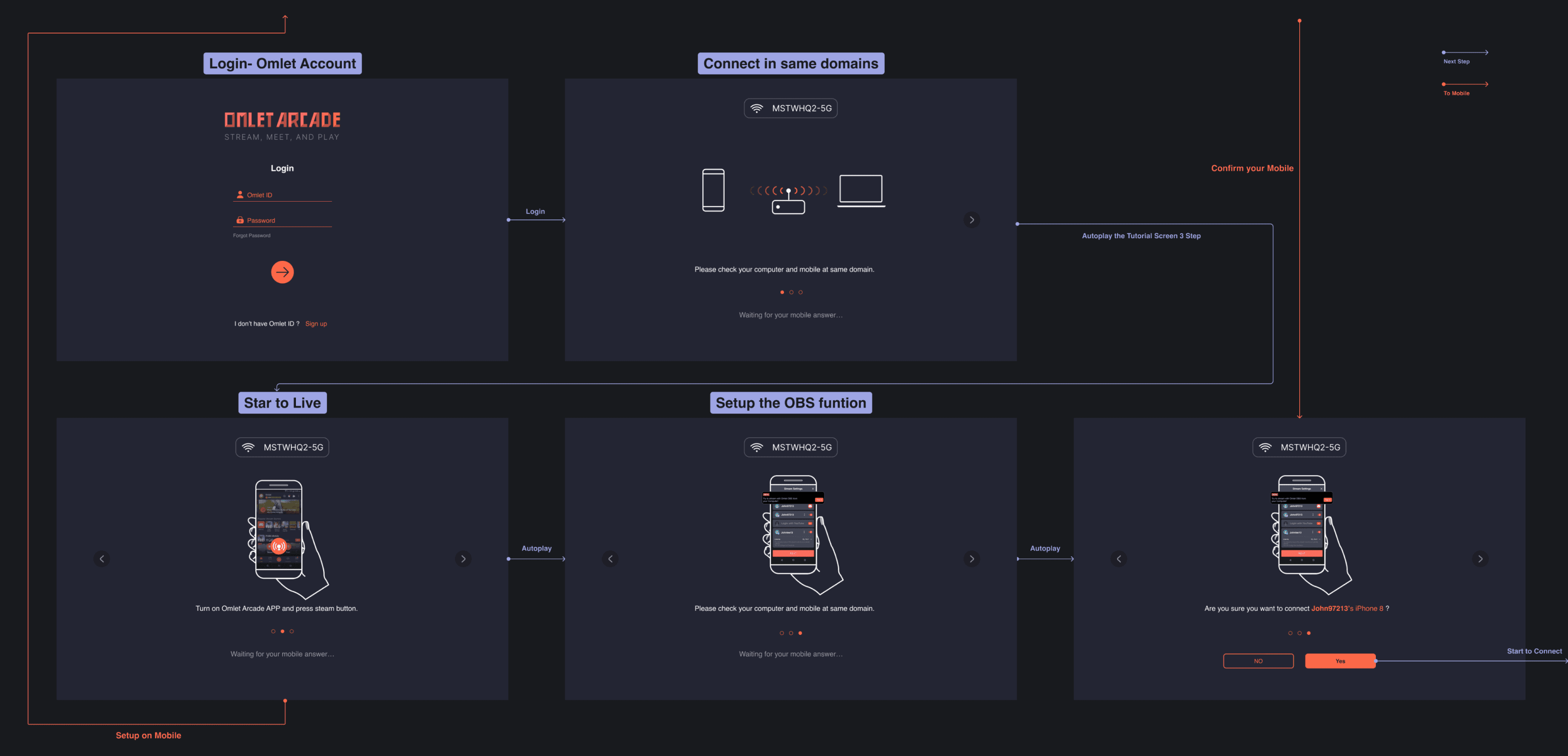
Most OBS tools are built for PC game streamers. For mobile streamers, we designed a more intuitive pairing flow between phone and desktop, supported by clear step-by-step visuals and guided instructions on both ends.
Lightweight, Stream-Ready Setup
Traditional OBS tools are feature-rich but overly complex. We streamlined the setup experience, allowing mobile-first creators to start streaming with only the essential features, no advanced configuration required.
Essential Tools with Omlet’s Edge
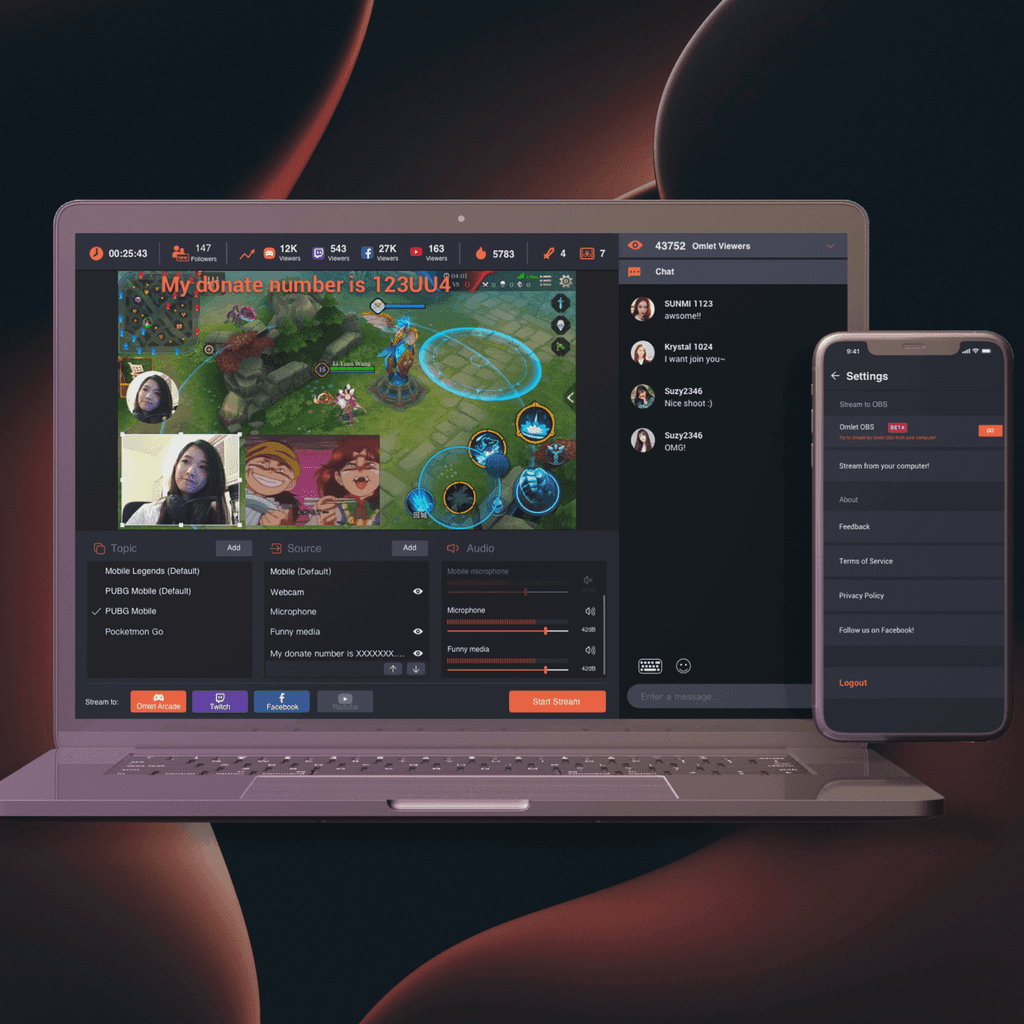
Built on Omlet’s strengths, one-click multistreaming and automatic mobile win detection, this tool integrates key OBS features like stream setup, chat moderation, and donation tracking into a streamlined, mobile-friendly experience.
Enable Post-Stream Performance Tracking
We built an integrated analytics dashboard to help streamers grow. It shows viewer counts, donation stats, and engagement trends across platforms, enabling data-driven improvements after each stream.
To make streaming more accessible, I redesigned the OBS pairing flow for Omlet Arcade by reducing complexity and guiding users through one clear action at a time. Each step includes focused visual instructions, whether on desktop or mobile, so creators always know what to do next. I mapped the entire experience with high-fidelity flows and interface diagrams to ensure clarity across devices.
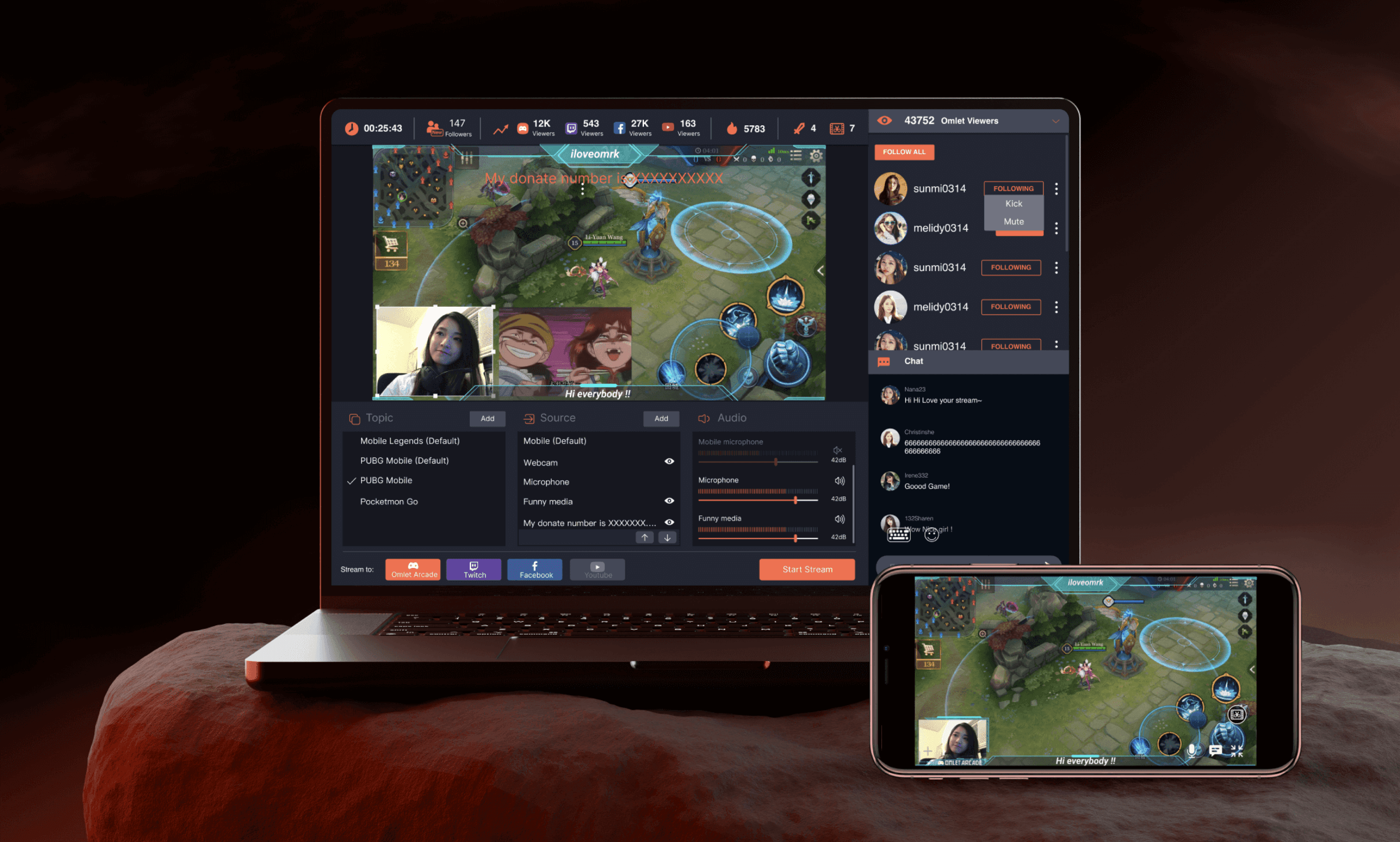
Omlet OBS is designed as a lightweight streaming tool tailored for mobile game creators. To lower the setup barrier, I curated only the most essential features based on insights from pro streamers. Key capabilities include multi-source input (gameplay, facecam, overlays), layered scene control, independent audio channels, and real-time tools for chat management, fan alerts, donations, and custom supporter tags.
I also integrated Omlet’s signature features, like one-tap multistreaming and automatic win detection, into the UI. The result is a streamlined, mobile-first OBS experience that meets the needs of serious streamers without overwhelming them.
I led the visual design for new App Store and Google Play promotional images across iOS and Android (mobile, tablet, and iPad). By using bold colors, strong contrast, and dynamic cropping to highlight key features, I created a vibrant, energetic visual style that amplified brand presence. Within two weeks of launch, the updated visuals contributed to a 23% increase in app downloads.